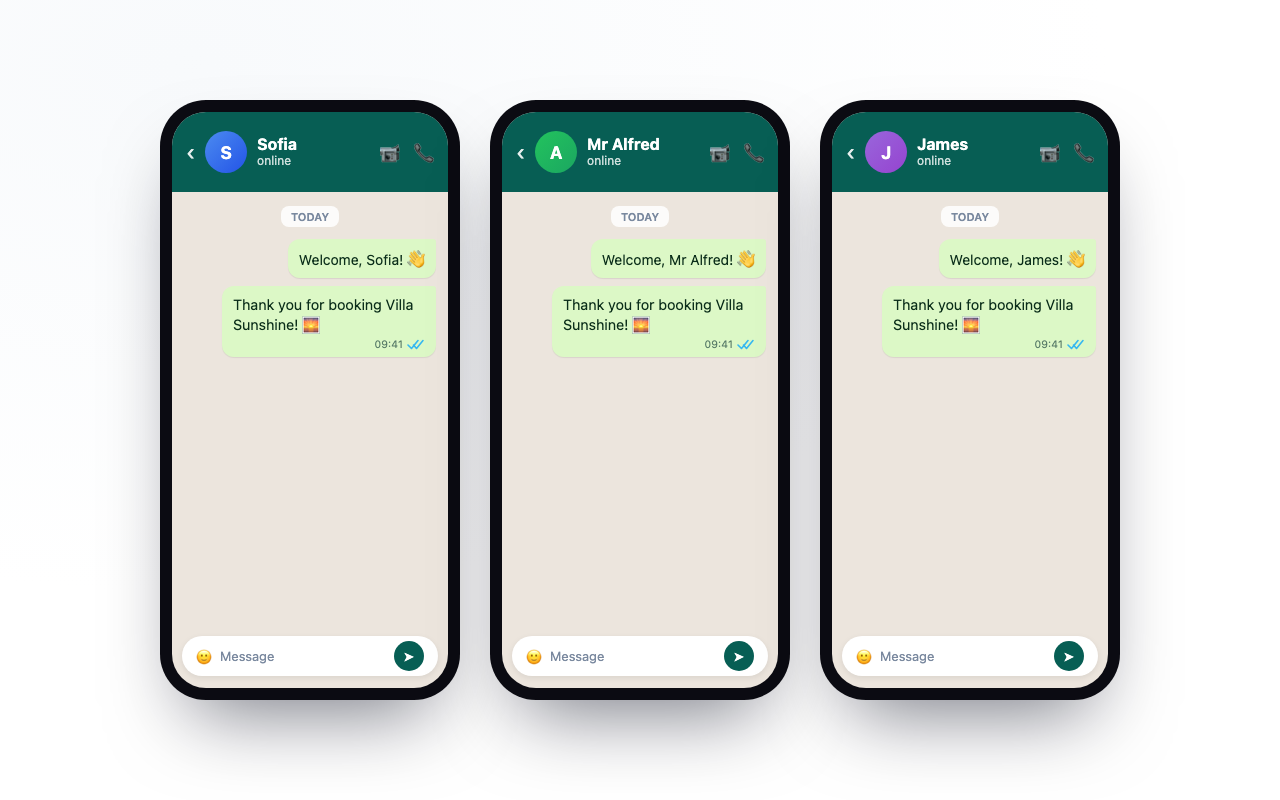
Connect Smoobu to Notify My Guest once, and every new booking turns into a personalized WhatsApp welcome sent from your own number. Two pieces give you control over the whole thing: a message template you write yourself, and Mail2WhatsApp for any message that goes beyond the automatic welcome.
Here is how all three fit together.
🔗 How the Smoobu connection works
Connecting Smoobu takes about five minutes and no code. You add your Smoobu API key and ID in Notify My Guest, then drop our webhook URL into Smoobu under Advanced, then API Keys. That webhook is the live wire between the two systems.
From that point on, every reservation confirmed in Smoobu, whether it came from Airbnb, Booking.com, Vrbo, or a direct booking, is pushed to Notify My Guest the moment it is created. When a new booking arrives, we fill in your template and send the guest a WhatsApp welcome straight away, while the booking is still fresh in their mind.
A few details that save you headaches:
-
It sends from your own number. Guests see a message from you, not a generic business sender.
-
It fixes phone numbers. If a guest's number is saved without a country code, Notify My Guest adds yours automatically so the message still lands.
-
It has your back when a guest is not on WhatsApp. If the number cannot receive WhatsApp, we message you instead, with a link straight to the Smoobu booking so you can reach them another way.
✍️ What you can do with your message template
Your welcome is not a fixed script. The Template Creator is where you write it once, and it goes out personalized for every guest.
Open the Template Creator, type your message, and drop in variables wherever you want a guest detail to appear. You can drag a variable into the text or click to insert it, and the editor shows friendly names like {{Guest Name}} rather than anything technical. When a booking comes in, Notify My Guest swaps each variable for that guest's real details.
The details you can weave in:
-
Guest Name, for a personal greeting
-
Property Name, so the message names the exact place they booked
-
Arrival Date and Departure Date, written out in a friendly format like Monday, August 12, 2025
-
Guest App Link, the Smoobu guest-app link for their stay
-
Host First Name, so the message is signed by you
A simple welcome might read:
Hi {{Guest Name}}, thanks for booking {{Property Name}}! You arrive on {{Arrival Date}} and check out on {{Departure Date}}. Everything you need is in your guest app: {{Guest App Link}}. See you soon, {{Host First Name}}.
One template covers every booking across all of your properties, and you can reset to a sensible default whenever you want a clean slate. Write it once, and it works for your next guest and every guest after that.
📧 Mail2WhatsApp: every message after the welcome
The automatic welcome is one message at one moment. Mail2WhatsApp covers everything after it, and it works even when a booking did not come from Smoobu. The idea is simple: if you can send an email, you can send a guest a WhatsApp.
Here is the flow:
-
Tell us your provider email. In your Mail2WhatsApp settings, enter the address your bookings come from. For Smoobu hosts that is your-username@host.smoobu.com. This is how we know which messages belong to your account.
-
Send an email to your Notify My Guest address. Use the service address shown in your dashboard. Put the guest's phone number as the subject line, and your message in the body. In Smoobu you can use the
[guestPhone]placeholder so the subject fills itself. -
We deliver it on WhatsApp. Notify My Guest matches the email to your account, reads the guest's number from the subject, tidies the body for WhatsApp (keeping your bold, italics, links, and bullet points), and sends it from your own number.
Because it runs on plain email, Mail2WhatsApp works with any platform that can send one: Booking.com, Airbnb, Vrbo, Guesty, Hostaway, or even a message you type yourself. There is no API to connect and nothing to maintain. Use it for check-in instructions, a parking note, an upsell, or a review request, as often as you like. Every message is logged, so you can confirm it went through.
🧩 How the pieces work together
Think of it as one system with two speeds:
-
Smoobu plus your template handles the automatic first impression, the welcome that goes out the instant a booking lands.
-
Mail2WhatsApp handles every follow-up, and doubles as a bridge for any booking that does not flow through Smoobu.
Both send from your own WhatsApp number, so from the first message to the last, your guests are always hearing from you.
🚀 Try it free
Connect Smoobu, write your template, link your WhatsApp, and let your next booking greet itself. Start your 14-day free trial, no credit card required.
Want the bigger picture first? See how automated messaging and Mail2WhatsApp fit into the rest of Notify My Guest.